01
Separation
Steer away from neighbours that come too close.
In boidscanEvery block of addresses has its own three homes, and a worker needs a lease before it scans, so no two boids sweep the same unit at once.
Free · open source · AGPL-3.0
Boidscan records what publicly reachable services announce, in the spirit of Shodan and Censys. It is run by its community instead of a company: anyone can run a node, anyone can query the results, and everyone can see who is scanning.
Why "boids"
The name comes from Boids, Craig Reynolds' 1986 flocking simulation. Each bird looks only at its neighbours and follows three rules, and together they move like one flock. Boidscan nodes work the same way: independent, run by different people, each following the same rules, together covering more than any single one could.
Steer away from neighbours that come too close.
In boidscanEvery block of addresses has its own three homes, and a worker needs a lease before it scans, so no two boids sweep the same unit at once.
Head the same way as the neighbours.
In boidscanEvery boid follows the same signed flock policy and the same port catalog. Boids with a different catalog do not share work.
Move towards the centre of the neighbours.
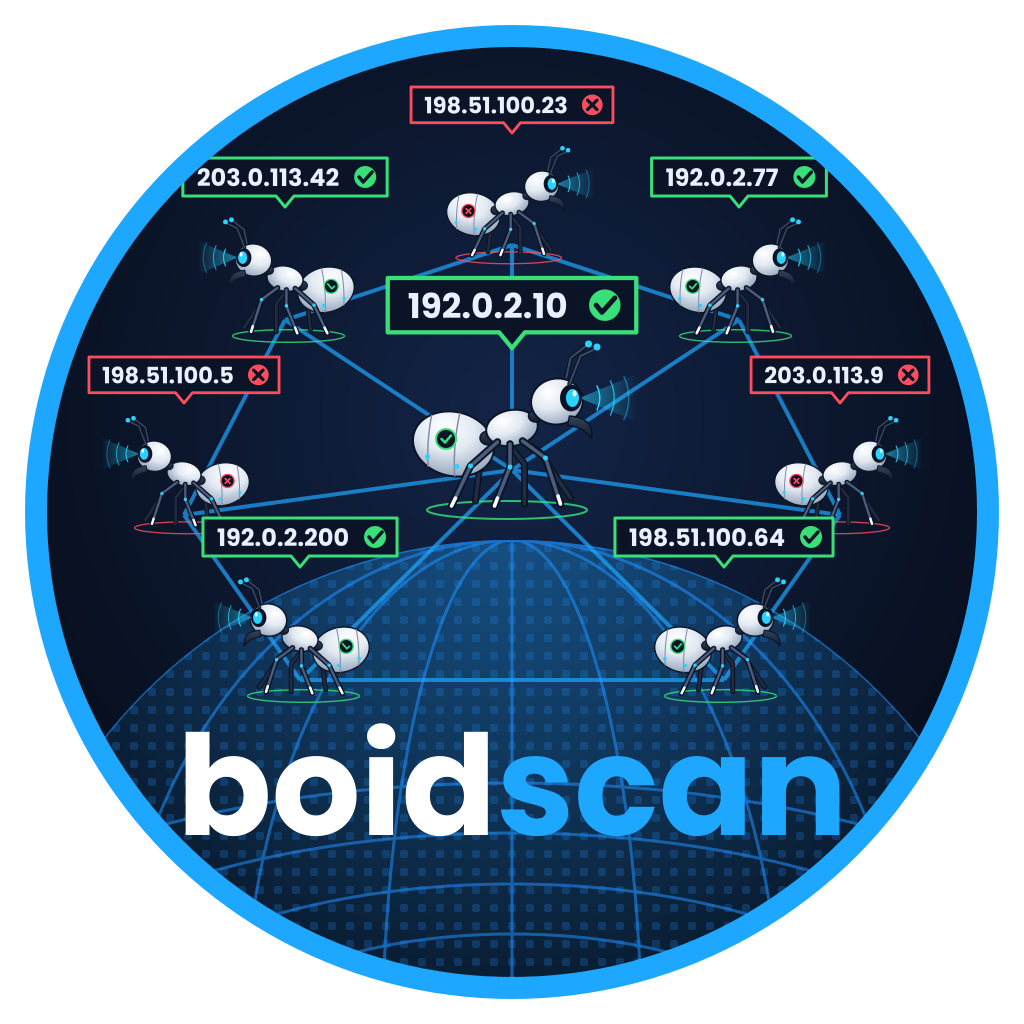
In boidscanBoids gossip about each other, so each one knows the whole flock. Ask any boid and it can point you to the rest.
the boid we follow what it can see where the rule pushes it
Federation
There is no master server. Boids find each other through seeds, prove who they are with a signing key, and keep track of each other by gossip. Every boid can answer for the whole flock.
A new boid asks a DNS seed named in the signed flock policy for a few boids to start from.
It introduces itself to one of them with a record signed by its own Ed25519 key: name, endpoint, abuse contact, version.
The boid sends back a random nonce. Only the owner of the key can sign it for that endpoint, so the newcomer is verified.
From now on boids pass each other's records around. Within a few rounds every boid knows every other boid.
Each boid publishes its view at /fed/v1/peers, and the scanning addresses of itself and every boid it has verified at /fed/v1/scanners. That is what lets this website ask any boid about the whole flock.
The sweep
Each boid can run a worker next to it. Together the workers sweep the address space. Nobody hands out jobs: every boid computes the same answer to "who holds this block?" and leases are granted by a majority of the block's homes.
The address range is cut into blocks. Every boid ranks the boids for a block the same way, so they all agree on which three hold it: the block's homes.
A unit is one block and one group of ports. A worker picks the unit its own blocks have gone without longest, then helps out with other boids' blocks.
Before scanning, the worker asks the unit's homes for a lease. It needs a majority, and they refuse a unit someone else holds or that was scanned recently.
After the scan the boid sends its results and a signed note to the homes. Asking any boid about an address returns what the homes hold.
The public flock started in October 2026 with a single boid, so for now it holds every block itself. Address lookups ask the homes of that block. Text and certificate searches cover only the boid you ask, which is why the search below asks several boids at once.
Search
This search runs live against the public flock. Every boid knows every other boid, so this page can ask any of them. Address lookups go to one healthy boid, which asks the homes of that block. Text and certificate searches are sent to several boids at once and merged.
port: narrows to one port, cert: matches a certificate name or SHA-256,net: or a bare CIDR lists a range, a bare address shows every service on that host. Anything else is matched against what the service announced.
Asking the flock…
Active scanners
Every boid publishes who it is, where it scans from and how to reach its operator. This list is read live from the flock: the first boid that answers tells us about all the others.
Boidscan has no opt-out form, since nobody could check who submits one. Block the scanning addresses in your firewall instead. Every boid lists itself and every boid it has verified at /fed/v1/scanners, one address per line. Boids join and leave, so fetch the list regularly. Results that were already collected are not deleted.
…
Scanning in the open
A boid connects to public IPv4 addresses and records what services announce during a normal handshake: banners, HTTP responses, TLS certificates. Every boid enforces the same rules, and the flock as a whole answers to a signed, expiring flock policy.
A boid refuses to scan without an abuse contact. The contact and the project URL are sent in every request and shown on the boid's public info page.
10,000 packets per second at most. An operator can configure less, never more.
IANA reserved ranges are always excluded. Operators can exclude more on their own boid, checked before discovery, before grabbing and again when results are stored.
Every boid publishes the scanning addresses of itself and every boid it has verified. A network that does not want to be scanned blocks that list.
Maintainers sign the flock policy offline. Every policy expires 14 days after it is signed, and a boid with no valid policy stops scanning and keeps serving the data it has. If nobody looks after the flock any more, it stops instead of running on without anyone responsible.
Get involved
Anyone can run a node. Start by scanning an address you own, watch a private flock in the lab, then join the public flock once your info page and abuse contact are reachable.
You need Docker and an address you are allowed to scan, such as a server you rent. Use your own contact: boidscan refuses to start with one at example.org.
mkdir boidscan && cd boidscan
curl -O https://raw.githubusercontent.com/boidscan/boidscan/main/deploy/node/compose.yaml
echo "BOIDSCAN_ABUSE_CONTACT=you@example.org" > .env
docker compose up -d
docker compose run --rm scan 203.0.113.5
Then open http://localhost:8080 and search for the address.
Five boids and three targets on a private Docker network. Nothing outside it is scanned. Watch boids find each other and share out a sweep.
git clone https://github.com/boidscan/boidscan
cd boidscan
./deploy/lab/flock.sh up
./deploy/lab/flock.sh sweepA server with a public IPv4 address and port 80 reachable. Your boid takes part in the sweep of the whole IPv4 internet and starts on probation.
# add to .env next to BOIDSCAN_ABUSE_CONTACT
BOIDSCAN_ENDPOINT=http://203.0.113.5
BOIDSCAN_PORT=80
BOIDSCAN_NODE_NAME=my-boid

docker compose --profile sweep up -d
docker compose exec serve boidscan policy show
On a fresh Ubuntu 26.04 server, use the cloud-init file instead.